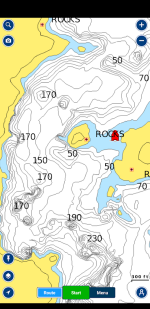
Default Lake level in the Navionics app

Status
Not open for further replies.
Ok. I can't get the Navionics App and my new Garmin to read the same depths. I wrote an email to Navionics and I received this as a reply.
Now I'm really confused.....


Thank you for contacting Navionics. Lake Powell, AZ was originally surveyed between the Pool elevation of 3597.85 - 3609.39, but Navionics current charting (not including the SonarCharts) for the freshwater lakes (not including the Great Lakes) are done in full pool elevation.

Seasonal changes or yearly changes to pool elevations - such as spring levels, summer levels, droughts or over abundance - are not reflected on our charting. These differences in pool levels would need to be calculated when reviewing the current lake levels that can be found on the government's website listings for each individual lake. Currently there is no unit function that allows for these calculation changes.


So what does that mean?

Though Navionics is now a Garmin company it appears that they use different data sources for their respective surveys, even though the website shows the data source for Garmin's LakeVu maps to be "Navionics Hi-Res Survey". I contacted Garmin earlier this year about the lake level for their LakeVu maps and was in contact with their cartography team. They indicated that they have requested the addition Dynamic Lake Level on Lake Powell for future map products - this would allow the lake level to automatically adjust based on real time conditions for Garmin users with LakeVu Ultra maps. Currently the Garmin map for Powell uses different surveys with different survey pool levels; ranging from 3570.12ft to 3587.35ft (Cartographic team communication).

Meatwagon's method is a good way to proceed, but bear in mind that there are differences in surveyed elevation (for both Navionics and LakeVu) maps of the lake which may make the contour lines not match the actual lake depth in places. So it is important to verify visually when in shallow depths.
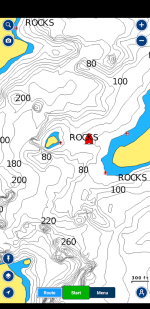
 
As mentioned above, anytime that I am on a lake and not sure how low it is I'll use the second method mentioned. I will place the boat over a contour on the map View attachment 9848then I adjust it so that the contour depth matches the actual depth of the transducer. So if the contour says say 40ft I would subtract 26ft so it was 14ft the same as the transducer. I hope that makes sense. View attachment 9849
^^^^^ This, what Meatwagon says. However, I don't have a chart plotter on my houseboat or skiboat, only a depth sounder. I use a similar but more simple method not requiring a chart plotter.

My method is to pull up next to a whale or shoreline where I can see the bottom. I choose a whale that is in a main channel where I assume it is more accurately surveyed. I simply adjust the depth offset setting until the blue area (where I don't want to go) is adequately displayed around the obstacle ( I tend to set it very conservative so I have no surprises) and will give me enough warning to "not go there." I'll tweak it as necessary as I head up the lake, but basically I just make sure I never drive into a "blue area" unless I'm at a dead slow speed.


Looking at the attached picture, there are tons of whales deep enough where they are of no concern to me.


1600881738999.png


More Conservative Setting:
1600882317108.png
 
I have mine setup with a shallow red zone (10ft or less) and a green fishing zone (10ft to 40ft). This way it really jumps out as you are running and looking for fishy structure. I don't know how I fished without all these new toys ah tools to work with.
 
Well, I did get the lake level set about right I think. I did as advised and checked the lake level at the Castlerock Cut and also from where my brothers houseboat is plus a foot allowing for my transducers depth and it looks like all 3 are in agreement finally so it appears the default lake level in the Navionics app is right at 3606 asl.
 
Am I correct, you now need to buy the $5 iNavX and the $30 Navionics maps to use this? If so, will it download onto both an iphone and ipad (on the same apple account?)
 
Status
Not open for further replies.
Back
Top